Next.js AI-Enabled Blog using CoPilotKit
In this article, I attempt to describe the architecture of this blog application (this website!). It's like a map of this website, which can be used to understand how the core website was built and how different features are added to it.
At its core, this website is a Next.js App Router application that fetches information from a bunch of markdown files and displays it as processed HTML. As of now, I am at Version 1.1, which implements a basic AI chatbot using CoPilotKit. This chatbot uses an LLM behind the scene and has context about the articles and also information about me (the author). Due to this provided context about me and the articles I write, the AI is able to answer questions about me and the articles I write.
I intend to add new features over time and grow the capabilities of this blog website. Every time I add anything major or even minor, this article will grow with a new section, so this is meant to be my continuously growing article documenting the growth of this app. Think of it as a README, but in markdown blog form.
To follow this article, I recommend having working knowledge of Javascript, Next.js and React.js.
GitHub Repository: https://github.com/nazmus-ashrafi/next-js-personal-blog
Initial Version of the Basic Next.js Blog App (Version 1.0)
Architecture Overview
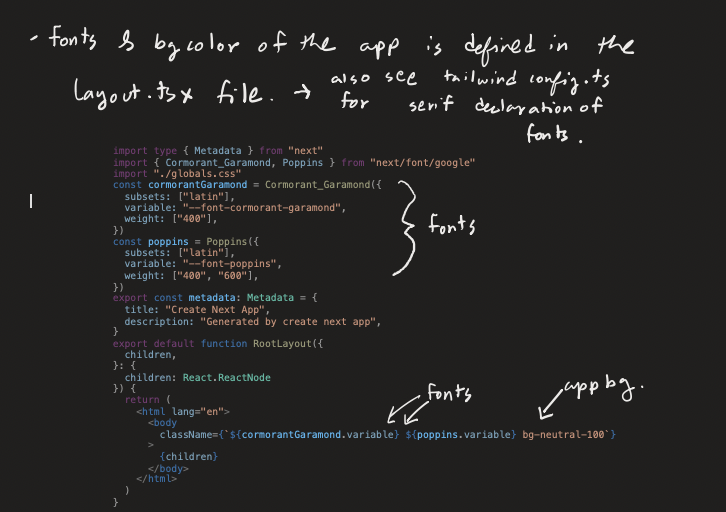
We will be mainly working in the app directory. Let's take a look at the layout.tsx file where the fonts and background color of the app are defined. This and the tailwind.config.ts file are where the design elements are mainly described, as shown in Image 1.
In the diagram below, I tried to layout how the main parts of the application are interacting with each other. The lib/article.ts file works as a backend for the whole application, as I am not using a real backend consisting of a database and an ORM to manage the data.
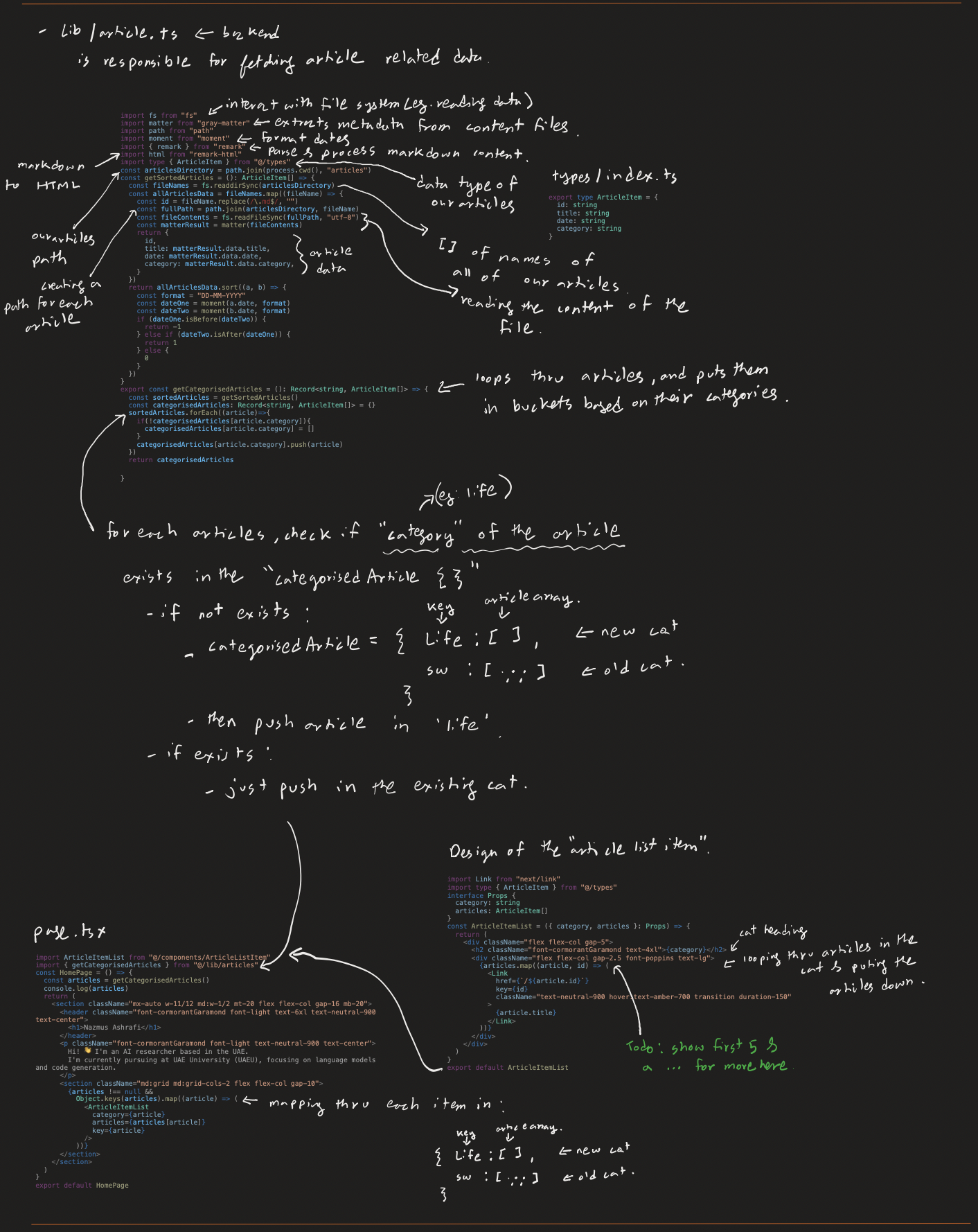
How the Article System Works
-
Article Sorting: The
article.tsfile starts by sorting articles found in the articles folder by date. The latest article is put on top of the list. -
Categorization: The
getCategorizedArticlesfunction is used to organize the articles into category buckets. -
Display: These organized articles are imported by the
page.tsxfile and viewed as a nice list using theArticleItemListcomponent.
(to be continued...)